
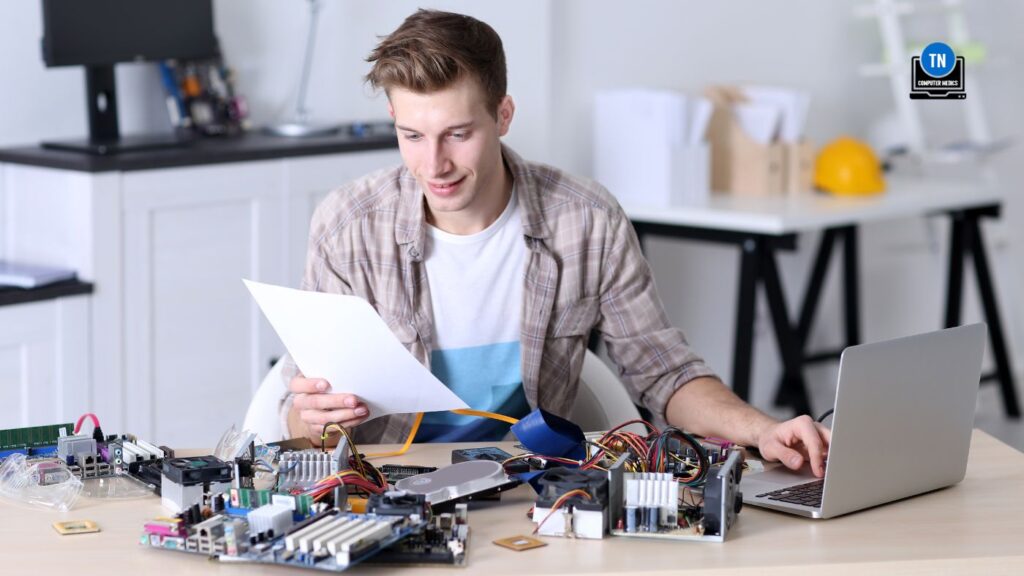

Computer Hardware Problems, Diagnosis & Repair
Computer hardware problems can look like power failure, random crashes, overheating, strange noises, slow performance, storage errors, or display problems. Because several components can create similar symptoms, the safest approach is to identify the failing part before replacing hardware.
This hub connects TN Computer Medics’ existing hardware guides and repair resources so you can narrow down the problem and choose the right next step. For a broad starting point, read Common Hardware Failures Solutions: Easy Fixes and Guide.
What Hardware Problem Are You Seeing?
The Computer Will Not Turn On
No lights, no fans, or no response can point to power, battery, motherboard, or other hardware faults. Start with Computer Not Turning On? Start With These Checks and Power Supply.
The PC Crashes, Freezes, or Restarts
Random instability can involve RAM, storage, motherboard, heat, drivers, or Windows itself. Use Windows PC Startup, Crash & Blue Screen Problems to narrow down startup and crash symptoms.
The Computer Is Overheating or the Fans Are Loud
High temperatures, loud fans, or shutdowns under load can indicate blocked airflow, a failing fan, or another cooling problem. See PC Fan Installation & Repair.
The Hard Drive or SSD Is Failing
Slow file access, missing files, startup errors, or a drive that disappears can point to storage trouble. Use Hard Drive Failure, Repair & Data Recovery.
The Display or Graphics Are Unstable
Black screens, artifacts, or graphics crashes can come from the GPU, display, power, drivers, or another hardware problem. See Graphics Card Problems, Diagnosis & Upgrade Options. For laptop panel problems, use Laptop Screen Problems, Repair & Replacement.
You Suspect RAM, CPU, or Motherboard Trouble
Memory, processor, and motherboard faults can overlap with one another. See RAM Services, Processor/CPU Services, and Motherboard Problems, Repair & Replacement.
Repair the Part or Upgrade the Computer?
Repair makes sense when the failing component can be replaced economically and the rest of the computer still meets your needs. An upgrade may make more sense when several parts are aging, performance is no longer adequate, or the cost of repair approaches the value of the system.
Use 7 Best PC Upgrades for Performance and PC Hardware Upgrade Guide for Better Speed when you are comparing repair with an upgrade.
TO YOU
Computer Hardware Guides & Repair Resources
Use the resource that best matches the problem you are trying to diagnose:
- Common Hardware Failures Solutions: Easy Fixes and Guide
- Common PC Hardware Issues: Diagnose & Fix Easily
- The Distinction Between Hardware and Software Issues
- Motherboard Problems, Repair & Replacement
- Hard Drive Failure, Repair & Data Recovery
- Graphics Card Problems, Diagnosis & Upgrade Options
- Laptop Screen Problems, Repair & Replacement
- 7 Best PC Upgrades for Performance
- PC Hardware Upgrade Guide for Better Speed
When Professional Diagnosis Makes Sense
If more than one component appears to be failing, the symptoms change from one startup to the next, or replacing a part would be expensive, diagnosis can help avoid buying hardware you do not need.
For component-specific help, use the related services below or contact TN Computer Medics to schedule service.
Related Hardware Services
- Motherboard Repair
- RAM Services
- Processor/CPU Services
- Power Supply
- PC Fan Services
- Replacements & Upgrades
Need Help With a Hardware Problem?
TN Computer Medics provides Windows PC and laptop hardware support in Tullahoma and surrounding Middle Tennessee. Contact TN Computer Medics to schedule help.

Nothing is perfect, but they came very close. The only place for Our computer needs. Treat you right and they really care about your computer…

Gary Allen

Sam got my computer fixed, it had a virus and now it is working good again. will come back.

Jason Hollis

Repaired my laptop in a timely manner at a good price. Was truthful about the fact the price may change should more work was needed. The part I needed at the time was inexpensive as well. Great place and very helpful.

Joann Harrison

I am very happy I hired TN Computer Medics. The tech Sam knew exactly what my issue was and fixed it the same day the price was perfect. I can tell from the work done to my computer that the tech is experienced in this line of work. I will not go anywhere else!!!
Sandra Haywood
Contact Us
PHONE NUMBER
EMAIL ADDRESS
OUR LOCATION
OFFICE HOURS
Tuesday: 8 am–8 pm
Wednesday: 8 am–8 pm
Thursday: 8 am–8 pm
Friday: 8 am–8 pm
Saturday: 8 am–8 pm
Sunday: 8 am–8 pm
